Set up
Your first parade, start to finish
How the five setup stages, the checklist, and the audit work together, and the order to tackle things so you're never guessing what's next.
ParadeWorks tracks your progress through five stages: Set Up, Organize, Recruit, Prepare, and Execute. The Dashboard shows where you are, what's next, and what's blocking you. This guide explains how that system works so you can trust it instead of second-guessing it.
First, create the parade
If you haven't made a parade yet, that's step zero. From your hub, click Create Parade on your organization. A short wizard walks you through four steps:
- Basic Info: name, date, location, and contact.
- Route: click the map to place your stepoff marker (the green S) and your end marker (the amber E), and the route draws itself between them.
- Lineup: draw at least one staging route where units will gather.
- Dispersal: draw where units go when they finish.
Don't agonize over the route here. Everything you draw in the wizard can be reshaped later with the full map editing tools; the wizard just needs enough to bring the parade to life. Once it's created, the Dashboard takes over as your home base.
How progress tracking actually works
Most items on your checklist complete themselves. The app watches your real data: draw a route and the route item checks off, add roles and the roles item checks off. You don't have to tell it what you've done.
That cuts both ways. If an item stays unchecked, it means the app genuinely can't find that thing yet, which makes the checklist a reliable to-do list rather than a chore to maintain. You can also add your own manual items for work the app can't see, like permits or insurance, and check those off yourself.
The Dashboard shows your current stage and a short list of next steps. Each next step links straight to the screen where you'd do the work. The full list lives on the Dashboard's Planning Checklists sub-tab, grouped by stage:
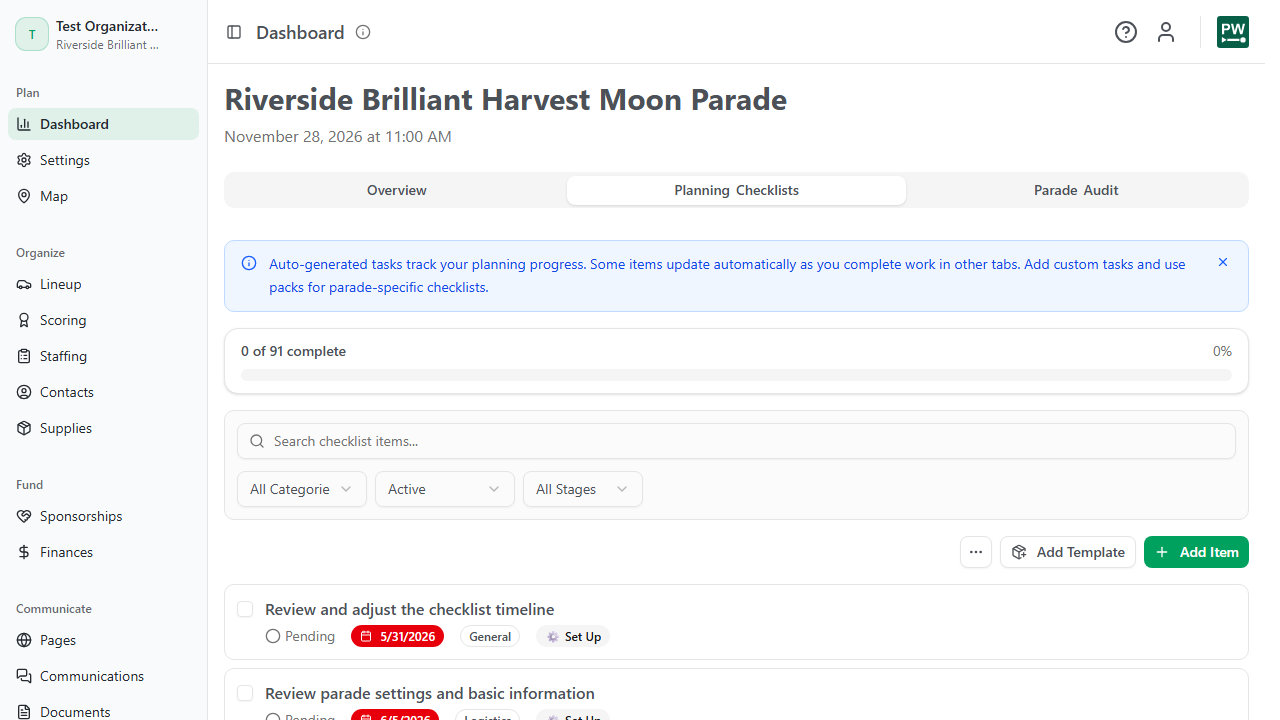
The five stages, in plain terms
- Set Up. The bones: parade details, your web address, and the map (route, lineup, dispersal). The web address and map editing guides cover the tricky parts.
- Organize. The structure people plug into: units and lineup order, stations, roles and positions. See building your lineup and staffing your parade.
- Recruit. Filling it: open your application, publish your public website, gather volunteers and sponsors.
- Prepare. The final stretch: run the simulation, finalize the lineup, set up judging, generate paperwork, send logistics emails.
- Execute. Parade day: check-in, scorecards, and running the show.
You don't have to finish a stage before touching the next. The stages are a map, not a gate. But the order exists for a reason: lineup needs units, judging needs a finalized lineup, staffing needs stations. Working roughly in order means fewer dead ends.
The audit is your safety net
The Dashboard's Parade Audit sub-tab runs a set of readiness checks across every part of your parade and lists anything missing or incomplete. The summary at the top reads as a percentage ("Parade Readiness: 82%"), and each failed check has a Go to link that jumps directly to the screen where you can fix it. Use Re-run after you've made changes.
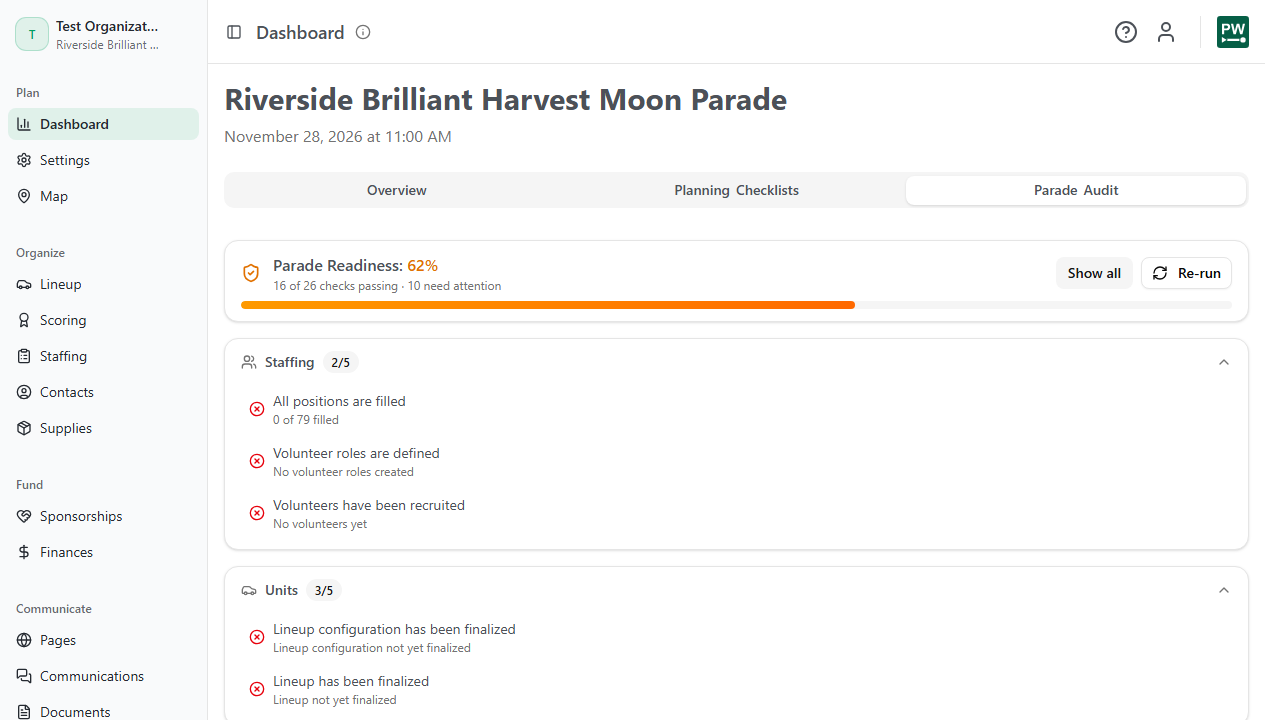
Run it whenever you want a straight answer to "am I ready?" It's especially worth a pass before you publish your website, before you finalize the lineup, and in the last week before parade day.
If you only remember one habit: open the Dashboard first each session, do the next steps it suggests, and re-run the audit before anything you can't easily undo. The system is built so that following it in order keeps you out of trouble.